Affirmable
The most beautiful way to create and curate your own affirmations, on your cards, on your Home Screen, on your wrist, and through your day. The original came out in 2014; rebuilt from the ground up, Affirmable 2.1 now comes to Apple Watch.
AffirmableiOS, iPadOS & watchOS
 iOS, iPadOS & watchOS 26 or later · No account needed
This moment will never come again, so I give it my whole heart.
Affirmable comes with thirty-six affirmations, new and very old, drawn from many traditions and mixed so no two neighbors come from the same one.
Everything you keep syncs through your own iCloud, so your affirmations follow you from device to device and never pass through Individuate.

Cards
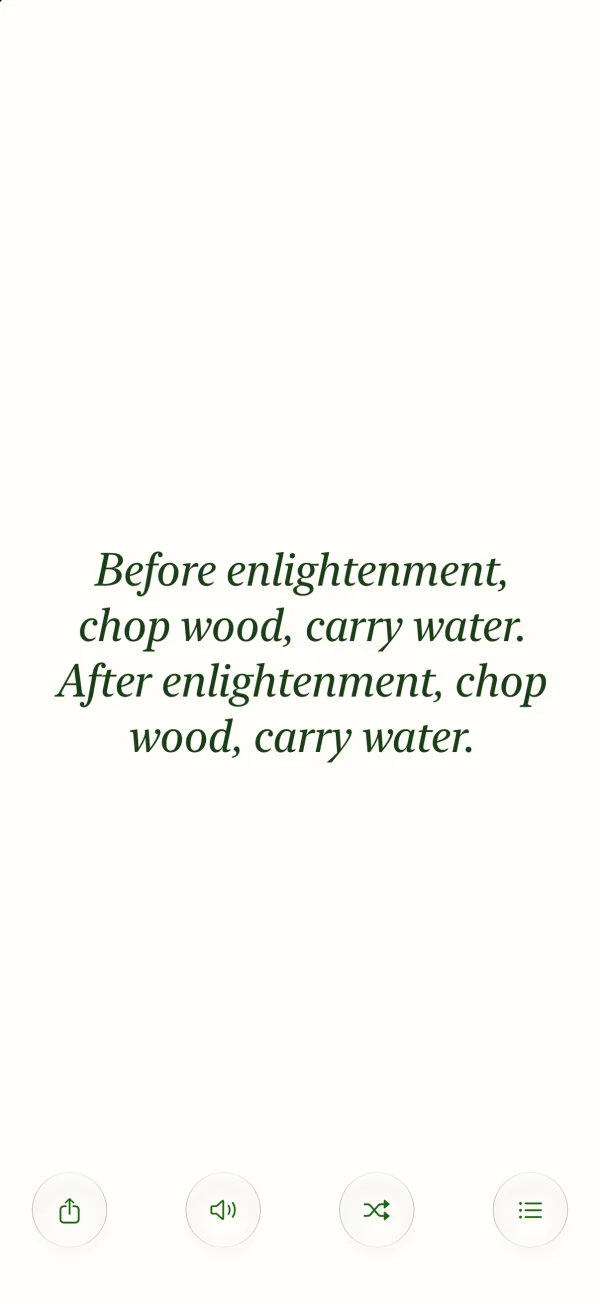
Each affirmation gets a card to itself. Tap shuffle, or shake your iPhone or iPad, for another. Tap the speaker to hear it read aloud, in your Spoken Content voice or your own Personal Voice.
Set your cards in New York, Optima, Noteworthy, or Rounded.
Your list
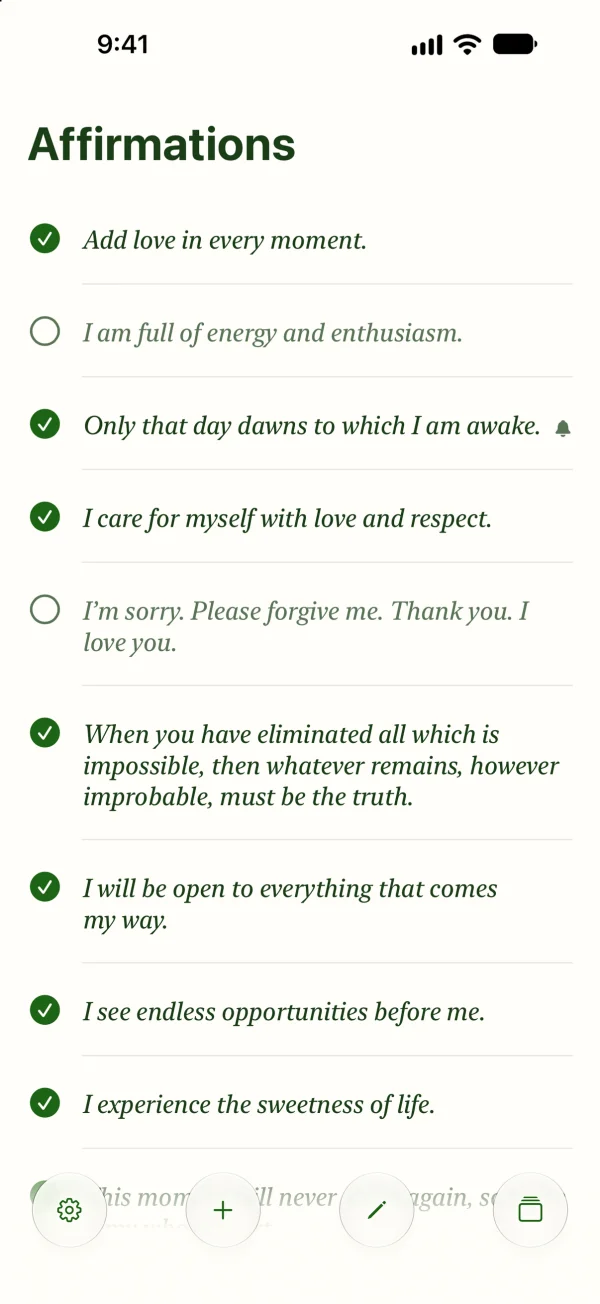
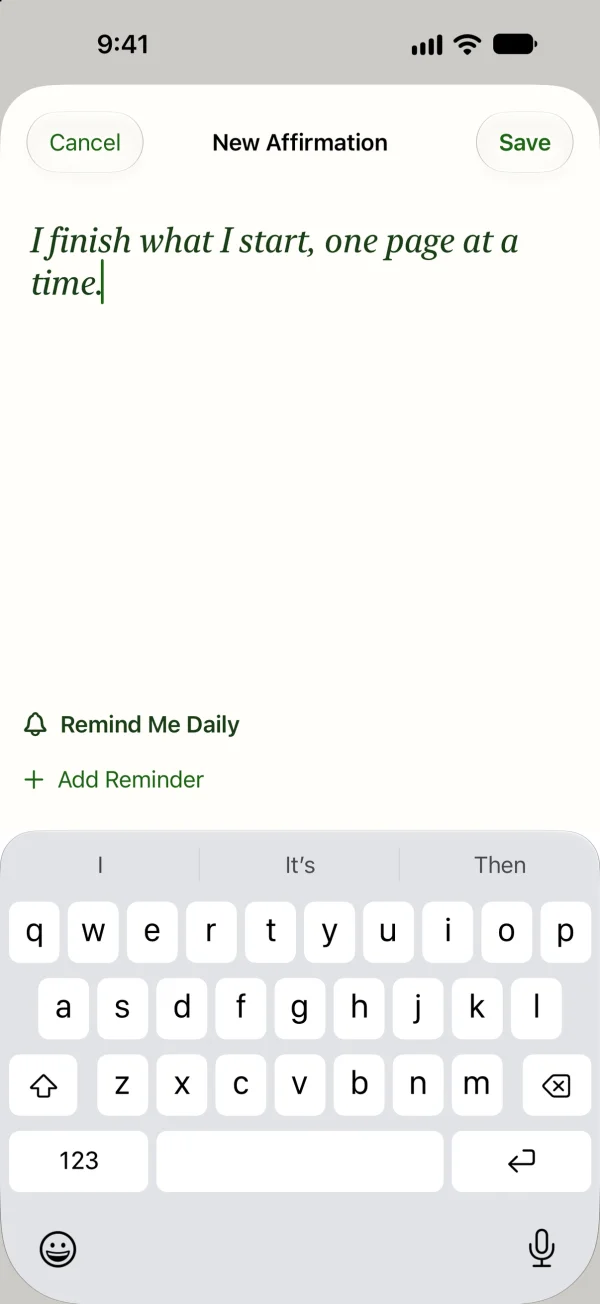
Flip from the cards to your list. Tick the affirmations you want on your cards; the rest wait, unticked, until you want them. Put them in any order you like.
Write your own by typing, or tap the keyboard’s microphone and say it.
Through the day
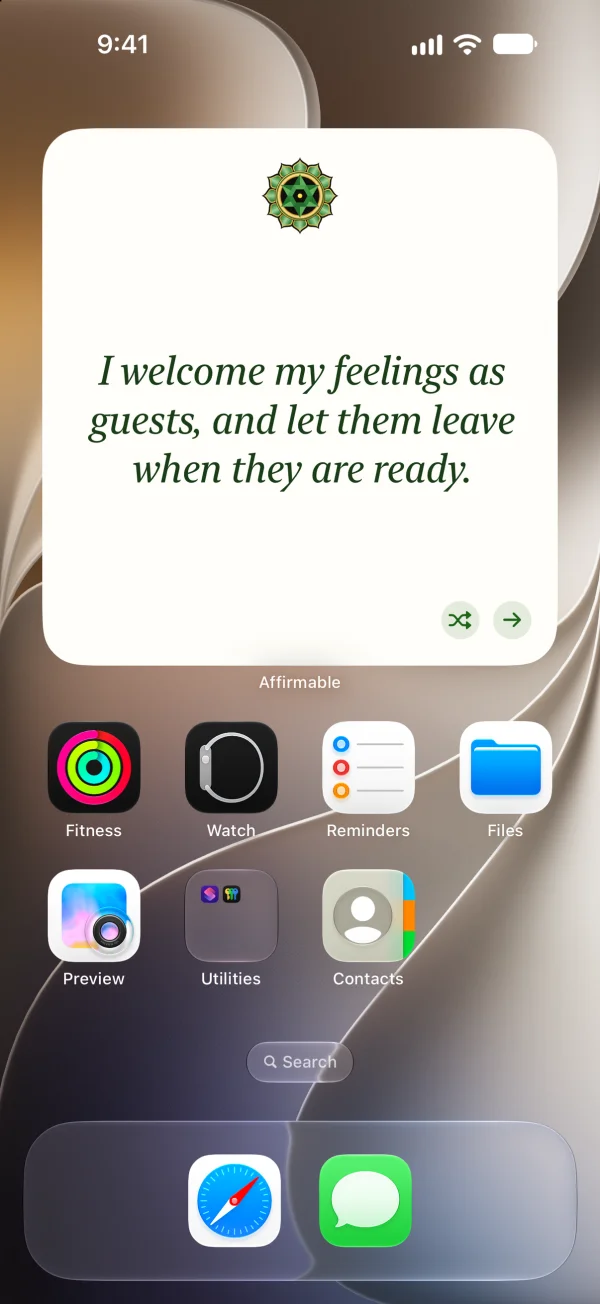
Keep an affirmation on your Home Screen in a small, medium, large, or extra large widget. It changes through the day, and you can shuffle it or step to the next one without opening the app. Leave Affirmable on a card, and your widgets show that one.
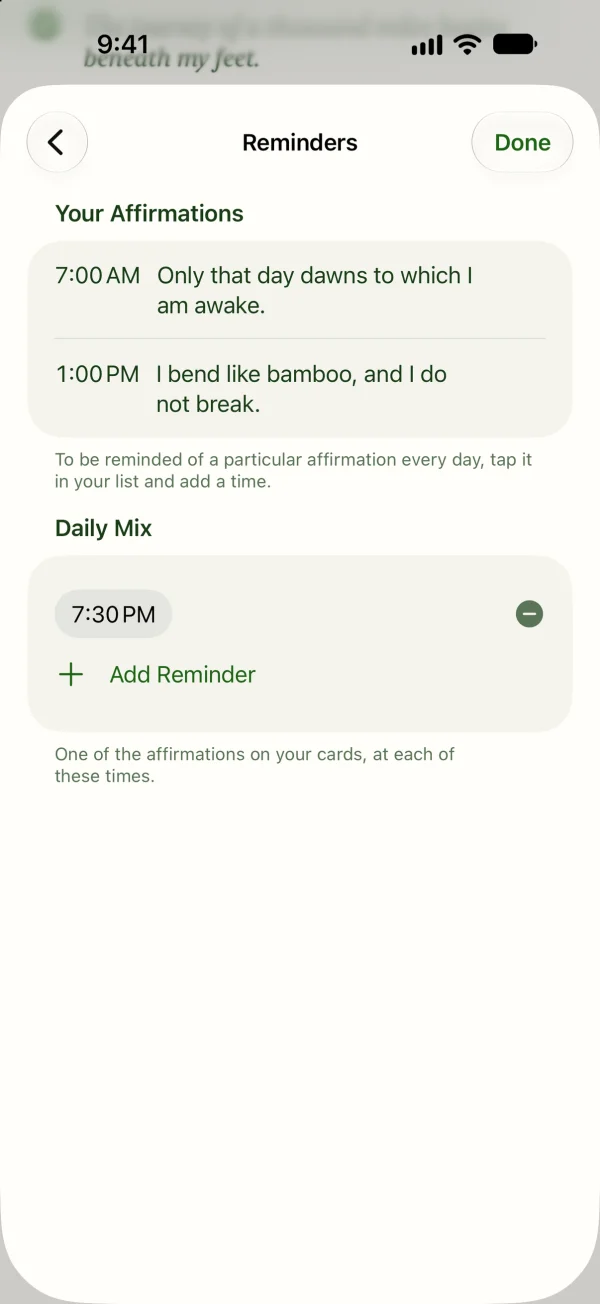
Be reminded of a particular affirmation every day, or set a Daily Mix that brings one from your cards at the times you pick.
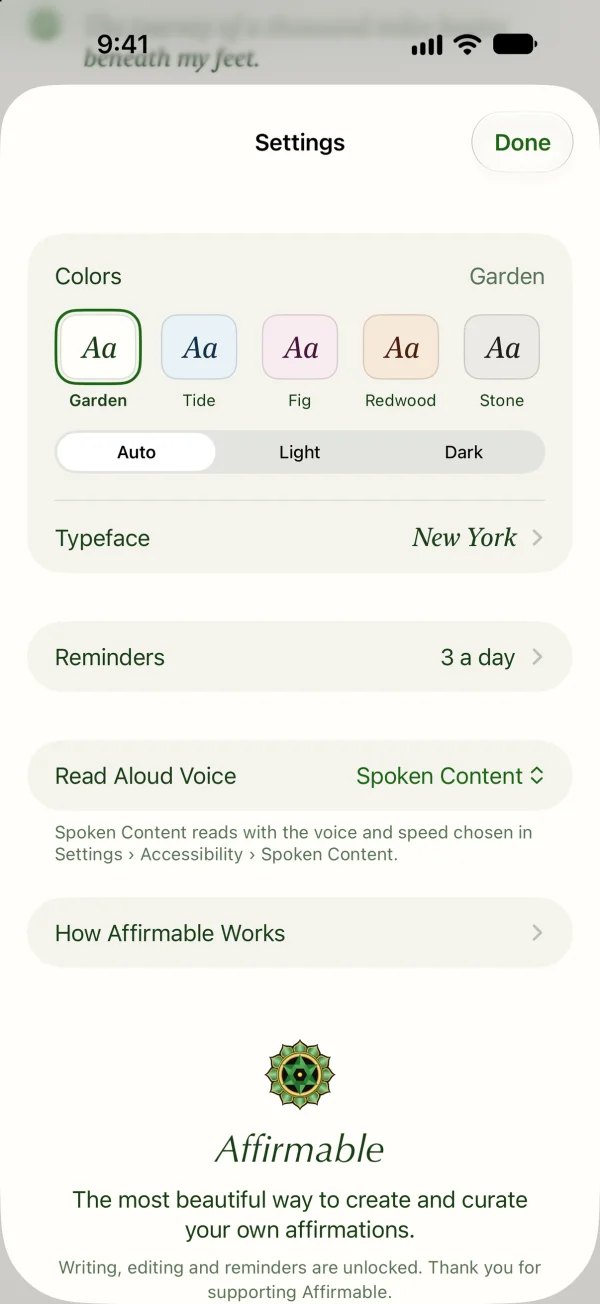
Colors
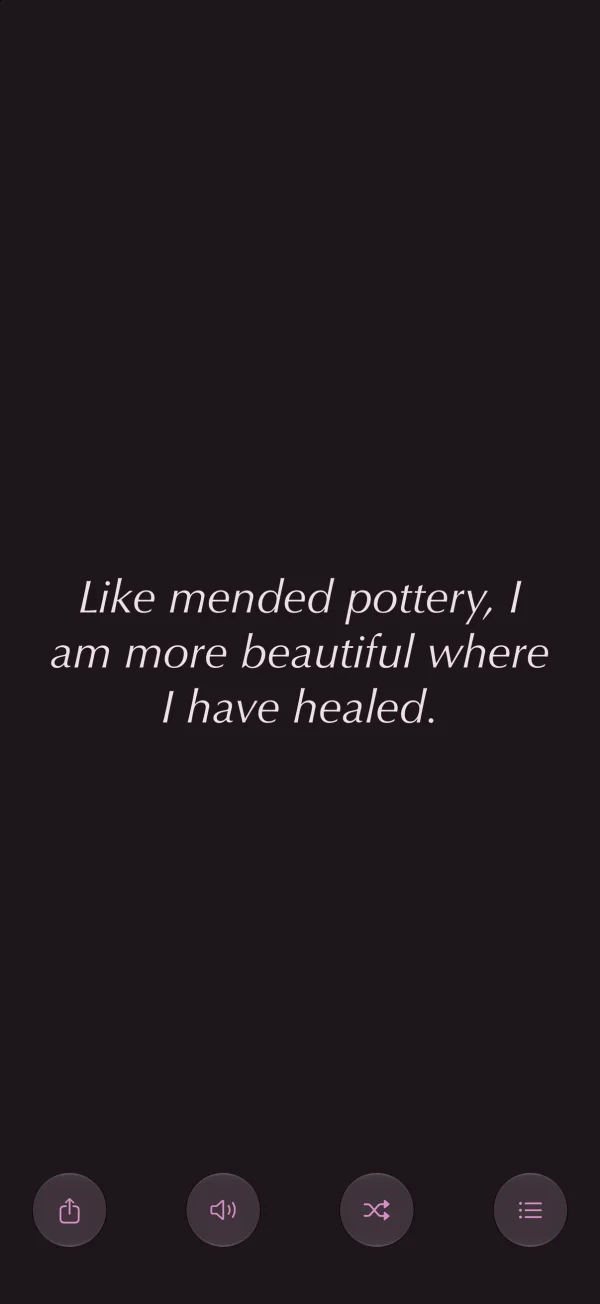
Choose from five color themes: Garden, Tide, Fig, Redwood, and Stone. Each has a light and a dark version, so leave it on Auto to follow your device, or keep it light or dark.
Your widgets follow the colors and typeface you choose.
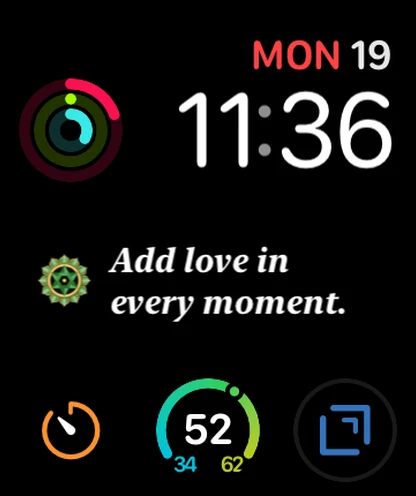
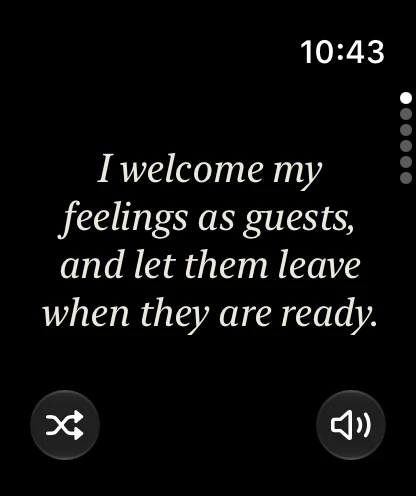
On your wrist
Put an affirmation on your watch face or in the Smart Stack, and it changes through the day. Open Affirmable on your Apple Watch to turn the Digital Crown through your cards, shuffle them, or have one read aloud.
To keep it private, turn off Show Complication Data for Affirmable under Always On, and your affirmation is hidden whenever your wrist is down.
Write your own
Affirmable comes with thirty-six affirmations to choose from. An affordable one-time purchase unlocks writing and editing: add your own, edit or delete any in your list, and get reminders. No subscription. It works on all your devices and is shared with your family.
Had the original Affirmable? Writing and editing are free for you, and the affirmations you kept come along when you update.
Full Support of Apple Technologies
- Light and Dark Mode. Five color themes, each with a light and a dark version, and an app icon in light, dark, and tinted.
- VoiceOver. Affirmations, buttons, and settings are labeled, with hints where a gesture isn’t obvious.
- Dynamic Type. Affirmations and controls grow with your text size. At the largest sizes, touch and hold a button to see its name.
- Reduce Motion. Cards change without animation when Reduce Motion is on.
- Spoken Content and Personal Voice. Hear any affirmation read aloud in the voice you chose for your device, or in your own.
- Dictation. Say a new affirmation instead of typing it.
- Interactive widgets. Small, medium, large, and extra large, changing every hour, every three hours, or every day. Shuffle or step ahead right on your Home Screen, and see the small one in StandBy.
- Notifications. Reminders arrive at the times you pick, and on a paired Apple Watch, where a tap opens that affirmation.
- iCloud. Your affirmations sync privately between your iPhone, iPad, and Apple Watch.
- Family Sharing. One purchase unlocks writing and editing for everyone in your family.
- iPhone, iPad, and Apple Watch. Portrait or landscape, and shake your iPhone or iPad for a new affirmation. On Apple Watch, turn the Digital Crown, and keep an affirmation on any watch face or in the Smart Stack.
- Liquid Glass. The round buttons along the bottom are Liquid Glass, new in iOS 26.
Support
Questions, bugs, and ideas about Affirmable go to support@individuate.com. The support page answers the common questions first.
Support for AffirmablePrivacy
Your affirmations live on your iPhone, iPad, and Apple Watch and in your own iCloud. Individuate can’t see them.
Privacy policyParticulars
| Medium | iOS, iPadOS & watchOS |
|---|---|
| Requires | iOS, iPadOS & watchOS 26 or later |
| Distribution | App Store |
| Account | None |